
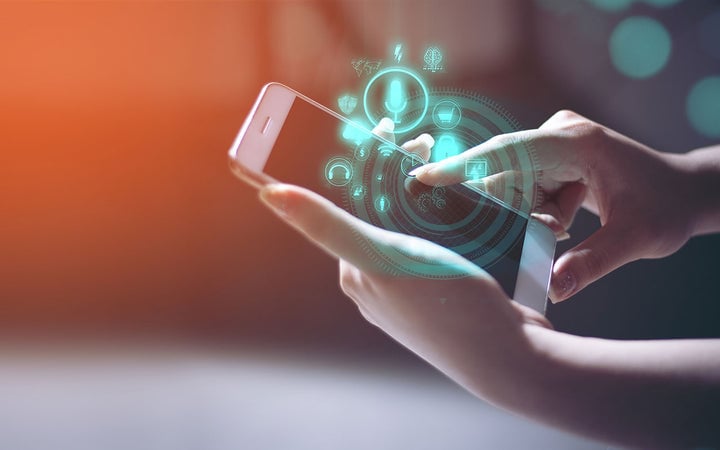
Haptic feedback lets phone users feel a physical response to a touch: the vibration when a text arrives, the click of an on-screen button. This article covers how it works, the difference between tactile and force feedback, and where it changes the experience most: a more natural feel, tighter control, deeper immersion, and better mobile gaming.
Key Takeaways
- Haptic feedback lets phone users feel a vibration or tactile response, most often for calls, texts, or button presses.
- High-definition (HD) haptic feedback uses smaller, more precise vibrations for a wider range of sensations than a single buzz.
- Tactile feedback (a small internal motor) and force feedback (used in gaming controllers) are the two main types.
- Haptic touch lets users confirm a press by feel alone, reducing mistaken taps without looking at the screen.
- Beyond notifications, haptic technology is also used in mobile gaming, virtual reality, robotics, and wearables.
A more advanced version, high-definition (HD) haptic feedback, uses more diminutive and precise haptic vibrations to create a wide range of sensations, from light touch to solid vibration.
Haptic feedback on a phone has more uses than just signaling that you've pressed a button. The haptic devices used in cell phones can generate a wide range of vibration intensities, and it's useful for game developers who want to create enticing user experiences.
Haptic feedback allows them to add everything from gentle vibrations patterns that indicate a light touch to intense jolts that simulate the feeling of an impact. As haptic technology continues to evolve, we can expect even more realistic and captivating haptic experiences in the future.
How Cell Phone Haptic Feedback Works

Haptic feedback allows phone users to "feel" their phone in a more realistic way and opens up new possibilities for enhancing the user experience. Some phone manufacturers include phone haptic feedback as a standard feature on their phones, and others offer haptic feedback as an optional add-on. Apps can also provide this feature if your phone does not have haptic feedback.
The vibration is created by a small motor inside the phone that is activated when you press the button. The engine produces a tiny vibration pattern transmitted through the phone's housing and into your hand. This type of phone haptic feedback is known as tactile feedback.
There's also force feedback. Force feedback is used in video games to create a more realistic gaming experience. When you play an arcade game, for example, the game may vibrate the controller in your hand when you hit something on the screen. This vibration pattern creates a realistic haptic experience that makes the game more enjoyable.
Phone haptic feedback is a relatively new technology, but it is quickly becoming more popular and on its way to becoming essential to many electronic devices.
The Advantages of Haptic Technology in Your Cell Phone

Most of us are familiar with the little vibrations we feel when we receive a text or phone call. Users can also create custom haptics for unique haptic feedback experiences and personalize their phones to their liking.
In addition to gaming and phone customization, haptic technology is used in various other applications, such as virtual reality, to bring the user's sense of touch into the experience. It's also used for robotics and wearable devices.
As haptic technology in phones continues to evolve, we will likely see even more innovative applications for this incredible technology.
Creates a More Enjoyable and Natural User Experience
Haptic technology allows phone users to receive feedback from their phones through touch. When you press a button on your phone, it vibrates in a pattern that is specific to that phone. This vibration pattern fools users into thinking they are pressing a physical button when they are not. This makes it easier for them to find the right function without looking at the phone and mimics traditional buttons and switches.
Gives You More Control Over Your Mobile Device
Haptic touch allows users to have more control over their phones. With haptic perception, users can feel when they touch a button, icon, or link on their phone. They can also tell if they are pressing too hard or too soft on their phone. This technology can help phone users avoid mistakes when using their phones and help them find the right buttons and icons quickly.

Provides an Immersive Experience by Engaging Your Sense of Touch
Phone haptic technology is revolutionizing the way we interact with our cell phones. With haptic feedback, phone users can enjoy a more lifelike and interactive experience.
Humans have the power to feel, observe, and decipher their environment. Traditionally, technology just appealed to our sense of sight and sound. Now, it utilizes one more sense: the sense of touch.
User experience becomes more enticing when they can personally connect to an imaginary thing, and haptic technology allows users to engage in a virtual world and maneuver their surroundings by using touch to link them to the experience. Due to this new multisensory experience, the users feel even more engaged and connected with phones supporting haptics.
Takes Your Mobile Games to the Next Level
This technology is often used in video games to provide an immersive experience by using haptics to create more realistic sensations. For example, if you're playing a racing game, you might feel your phone vibrate when you hit another car.
For game developers, this frontier in video gaming opens up a new world of possibilities. They can now create arcade-style games that are more realistic and engaging than ever before.
Unlock the Benefits of Haptic Feedback Technology in Your Phone
Haptic feedback, also known as tactile perception, uses touch to communicate with a phone user. You can use haptic feedback on phones to create different textures, pressure points, and shapes.
Haptic technology is becoming more advanced and sophisticated as phone manufacturers strive to create better user experiences. At Boréas Technologies, we offer a wide range of gaming shoulder buttons and similar gaming solutions that are perfect for your phone. The industry's fastest actuation and force sensing technology with a realistic button click feel will have you feeling like an expert in no time. Visit us today because this could be just what you've been looking for — a powerful cell phone gaming experience.
Frequently asked questions
What is haptic feedback on a phone?
Haptic feedback is a form of sensory feedback that lets you feel a vibration or tactile response from your phone, most commonly when you receive a call or text, or press an on-screen button.
What's the difference between tactile feedback and force feedback?
Tactile feedback comes from a small motor inside the phone that vibrates when you press a button, transmitting the sensation through the phone's housing. Force feedback is more associated with game controllers, vibrating in response to on-screen action like a collision.
What is HD (high-definition) haptic feedback?
HD haptic feedback uses smaller, more precise vibrations than standard haptics. Instead of one uniform buzz, it produces a range of sensations from a light touch to a solid jolt.
How does haptic feedback help without looking at the screen?
Because haptic feedback confirms a press through touch alone, users can feel whether they pressed too hard or too soft and find the right button or icon without looking directly at it.
Is haptic feedback only used for notifications?
No. Beyond notifications, haptic feedback is used in mobile gaming to simulate impacts, in virtual reality to add a sense of touch, and in robotics and wearable devices.
Do all phones come with haptic feedback built in?
Not always. Some manufacturers include it as a standard feature, others offer it as an optional add-on, and some apps can add haptic feedback even on phones that don't have it natively.
Glossary
Haptic feedback: A form of sensory feedback that lets a user feel a vibration or tactile response from a device, such as a phone.
HD (high-definition) haptics: Smaller, more precise vibrations that create a wider range of sensations than a single uniform buzz.
Tactile feedback: Vibration created by a small motor inside a device and transmitted through its housing into the user's hand.
Force feedback: Vibration or resistance used mainly in gaming controllers to simulate the feel of on-screen action, such as an impact.
Haptic touch: The ability to feel a press, tap, or gesture on a touch surface, letting users control a device without looking at it.
Related reading
Boréas mobile phone solid-state buttons
Piezo solid-state button overview
What Is CapDrive? The piezo driver that recovers energy on every actuation
Piezo haptic drivers product lineup
Next steps
See the Boréas mobile phone solid-state button solution → https://www.boreas.ca/pages/boreas-solid-state-piezo-haptic-buttons
Browse our development kits to evaluate piezo haptics → https://www.boreas.ca/collections/development-kits
Discuss your phone haptic design with our applications engineering team → info@boreas.ca
Leave a comment