

Smart glasses input design is a comparison of trade-offs. Capacitive touchpads, mechanical buttons, voice commands, eye tracking, and neural wristbands each address part of the interaction problem while creating new failure modes — misfires from sweat, single-axis input limits, social friction, battery drain, or dependency on a second device. Solid-state piezo buttons are not a replacement for capacitive input; they are a complementary force-sensing and haptic layer that extends what a capacitive surface alone can do, enabling tap, half-press, full-press, and slide interactions with tactile confirmation on a single temple-mounted component.
Key takeaways
- Capacitive touchpads — the dominant input surface on current smart glasses — generate false inputs from moisture and provide no tactile edge detection
- Mechanical buttons register a single discrete press; menu navigation requires multiple buttons or memorized press patterns
- Voice commands fail in noisy or socially constrained environments, which describes most real-world wearable use cases
- Eye tracking and always-listening voice both add continuous power drain on a battery platform already limited to roughly 6 hours of mixed use
- Solid-state piezo buttons are not a replacement for capacitive input — they are a complementary force-sensing and haptic layer that enables tap, half-press, full-press, and slide interactions with tactile confirmation on the same surface
1. The 200-millisecond problem

Meet Maya. She is a 32-year-old urban cyclist commuting through Brooklyn on a Tuesday morning, wearing consumer smart glasses — not a prototype, not a developer kit, but the kind of device that sits at the intersection of electronics and personal style.
At 8:14 AM, the morning light hits the Manhattan Bridge in a way that demands a photo. Maya wants to capture it without slowing down, without taking her hands off the bars, without saying "Hey Glasses, take a picture" to a hundred strangers crossing in the other direction.
So she reaches up, finds the temple of her glasses, and presses.
What happens in the next 200 milliseconds is the entire question.
If the glasses use a capacitive touchpad
Maya is sweating — it is August. The capacitive surface picks up moisture-driven false touches before she even reaches up intentionally. Three minutes ago, while adjusting her helmet strap, the glasses tried to start a video. She found out from the notification.
Now her finger lands on the temple and has to locate the surface by feel. Capacitive surfaces have no edge, no detent, no tactile boundary. Her finger slides slightly to orient and triggers a swipe that opens the wrong app. The moment is gone.
The capacitive touchpad did not malfunction. It did exactly what it was designed to do. The failure is in asking a single undifferentiated surface to carry the entire input vocabulary of a device worn on the face.
If the glasses use a mechanical button
Click. Photo taken. Reliable, predictable, the same satisfying action she has known since childhood.
But later that morning, scrolling through her photos at the café, Maya sees it. The focus locked on the railing in the foreground. The bridge — the light, the moment — is soft in the background. She had no way to control that. No half-press to lock focus on the right target. No zoom, no framing adjustment, no second chance. The glasses gave her a photo. They just could not give her the one she saw.
That is the quiet failure of a mechanical button on a wearable. It does not crash. It does not misfire. It just quietly delivers less than what the moment deserved — and you only find out after the moment is gone.
If the glasses use voice commands
"Hey Glasses, take a picture."
She is on a bridge with a hundred commuters. She does not say it. Even if she were willing to, the traffic noise is loud enough to cause misrecognition half the time. Between you and me, nothing is worse than someone talking to their device alone at the grocery store. Voice works at home, in the car, and occasionally at a desk. It does not work anywhere socially constrained, which is most of the places where people actually wear smart glasses.
If the glasses use eye tracking
Gaze at the shutter icon. Dwell to activate. Elegant in theory. In practice, eye tracking requires always-on sensors that read continuously, a significant and permanent drain on a battery already stretched across the display, BLE, microphone, and camera subsystems. For a form factor where the total runtime is measured in hours, that is a steep cost for a single interaction modality that still requires a confirmation gesture from somewhere.
What Maya actually needed
An input surface that she could find by touch without looking. One that signals its presence with a subtle haptic pulse the moment her finger approaches, so she knows she has found the right spot before she even presses. That distinguished hairs or sweat from an intentional press. That offered half-press, full-press, and slide without requiring her to memorize them. That confirmed the capture tactilely, silently, before she heard anything over the traffic noise.
That input surface exists. It is a solid-state piezo button — and it works alongside the capacitive touchpad already on the glasses, not instead of it.

2. Why each input modality falls short — and where each one works
Maya's bridge moment is not an edge case. It is a systematic illustration of why each current input modality has a ceiling. Here is the full comparison.
| Approach | How it works | Main limitation | Typical use case |
|---|---|---|---|
| Capacitive touchpad | Detects finger presence and position via electrical field changes on a flat surface | Moisture-driven false inputs; no force sensing; no tactile edge detection | Current-gen smart glasses and most consumer wearables |
| Mechanical button | Registers a discrete press via physical contact closure | Single-axis input only (on/off); menu navigation requires multiple buttons or memorized press patterns; moving parts degrade over time | Smart glasses with a basic camera or call controls |
| Voice command | Interprets spoken commands via onboard microphone and NLP | Fails in noisy or socially constrained environments; always-listening mode adds continuous power drain | Low-noise contexts: in-car, home assistant, desktop wearables |
| Eye tracking | Infers intent from gaze direction and dwell time using IR sensors | Always-on sensor load; significant battery drain on a platform already limited to ~6 hours mixed use | Next-gen AR headsets targeting hands-free interaction |
| Neural wristband | Reads EMG signals at the wrist to detect micro-gestures | Requires a separate device, a separate charge cycle, and separate onboarding | Premium wearable ecosystems as an add-on accessory |
| Solid-state piezo button | Force-sensitive surface backed by piezo actuator + driver IC producing localized haptic feedback | Requires rethinking mechanical chassis integration vs. a drop-in capacitive pad | Smart glasses, wearables, any compact form factor where force sensing + haptic confirmation are required |
3. What is a solid-state piezo button — and how does CapDrive® make it viable in smart glasses
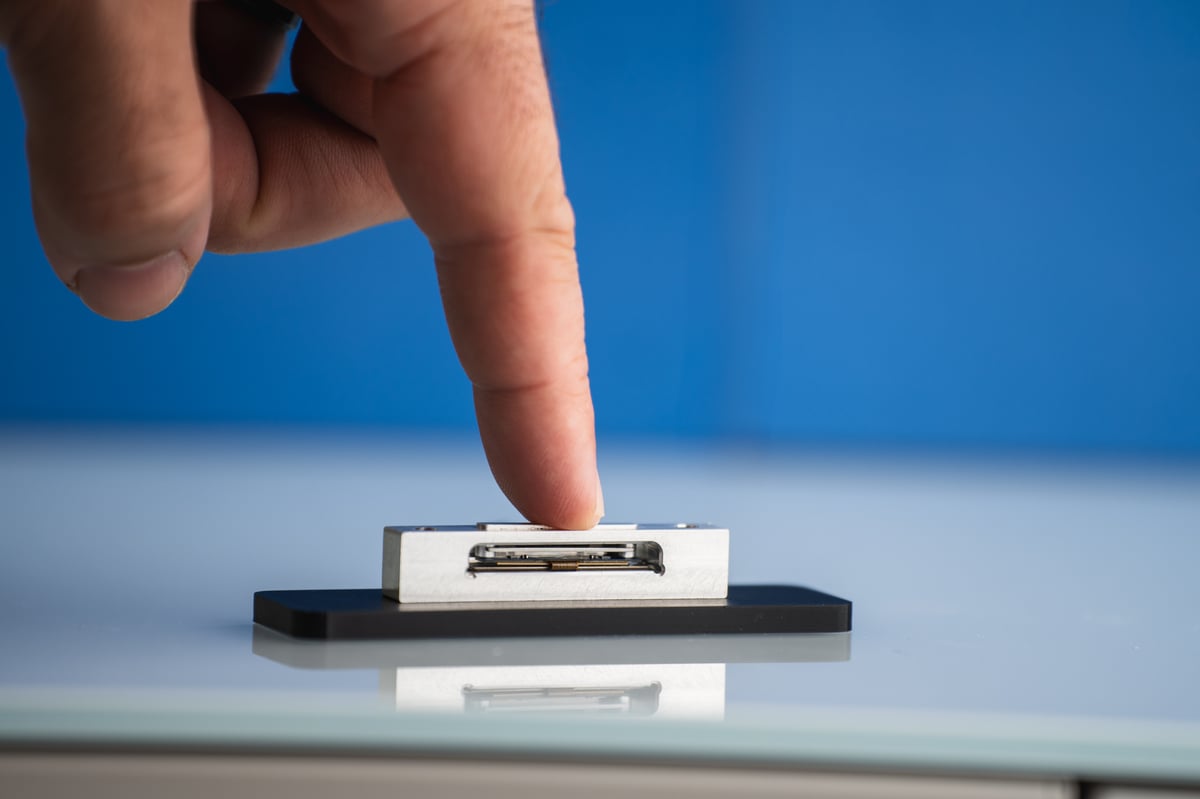
A solid-state piezo button is a force-sensitive input surface that uses a piezoelectric actuator to produce localized haptic feedback without moving parts, enabling tap, press, and slide interactions on a single fixed surface. Unlike an LRA (Linear Resonant Actuator), the vibration technology used in most smartwatches and phones, a piezo button vibrates only the surface under the fingertip. The rest of the glasses' frame does not move. This is not a refinement; it is why haptic input on a face-worn device is possible at all. An LRA vibrating against the temple and lens frame at every interaction would be intolerable in daily wear.
Force sensing is the second critical property. A capacitive surface detects that something is touching it, but cannot distinguish between a finger, a strand of hair, or sweat. A solid-state piezo button with force sensing detects how hard the finger is pressing, the difference between a resting touch, a light tap, a half-press, and a full-press, all on the same surface, distinguished by pressure rather than position.
CapDrive® is Boréas Technologies' piezo driver architecture that makes this viable in a battery-constrained device. By recycling energy from the actuator's capacitance with every click, CapDrive® reduces power consumption by 90% compared to legacy piezo drivers, up to 10x more energy-efficient than competing piezo drivers. For smart glasses OEMs where every milliwatt-hour is contested by display, BLE, microphone, and camera subsystems, this is the difference between haptic feedback that ships and haptic feedback that gets deferred to the next product generation.
The BOS1921 driver IC integrates haptic actuation and force sensing in a single 2.1×2.5×0.5 mm WLCSP package, using the piezo actuator itself as the sensing element when it is not actively producing haptic output. In the temple of a pair of smart glasses where PCB space is measured in cubic millimeters, this integration density is not a convenience. It is the feature that makes the design possible.
What CapDrive® does in a single interaction
- Finger lands on the surface — The BOS1921 detects presence and begins measuring applied force via the actuator itself — sensing and actuation in one component, no additional chip.
- Force threshold crossed — The driver distinguishes incidental contact from a light tap, half-press, or full-press based on the force profile alone.
- Haptic waveform fires — A precisely shaped waveform produces a localized click felt only under the fingertip. The glasses frame does not vibrate.
- Energy is recovered — CapDrive® harvests residual energy from the actuator's capacitance, contributing to the 90% power reduction vs legacy piezo drivers.
- System returns to idle — Current draw drops to negligible until the next interaction event.
Back on the bridge, when Maya's camera app opens, the temple's haptic logic reconfigures. Light press locks focus; she feels a soft click and knows the system has acknowledged the framing. Firm press captures, a sharper haptic confirms the shutter before she hears anything over the traffic. No tutorial. No icon to discover. The two-stage interaction maps directly to the DSLR camera button UX she already knows, inheriting 50 years of camera vocabulary.
When the camera app closes, the same surface becomes a menu slider. Each item she passes over produces a haptic detent, a distinct click that says "one item moved." At the end of the list, the waveform changes to a terminal bump, unmistakably "end of list." The hardware does not change. The haptic vocabulary does.
4. Evaluate solid-state piezo input in your own lab
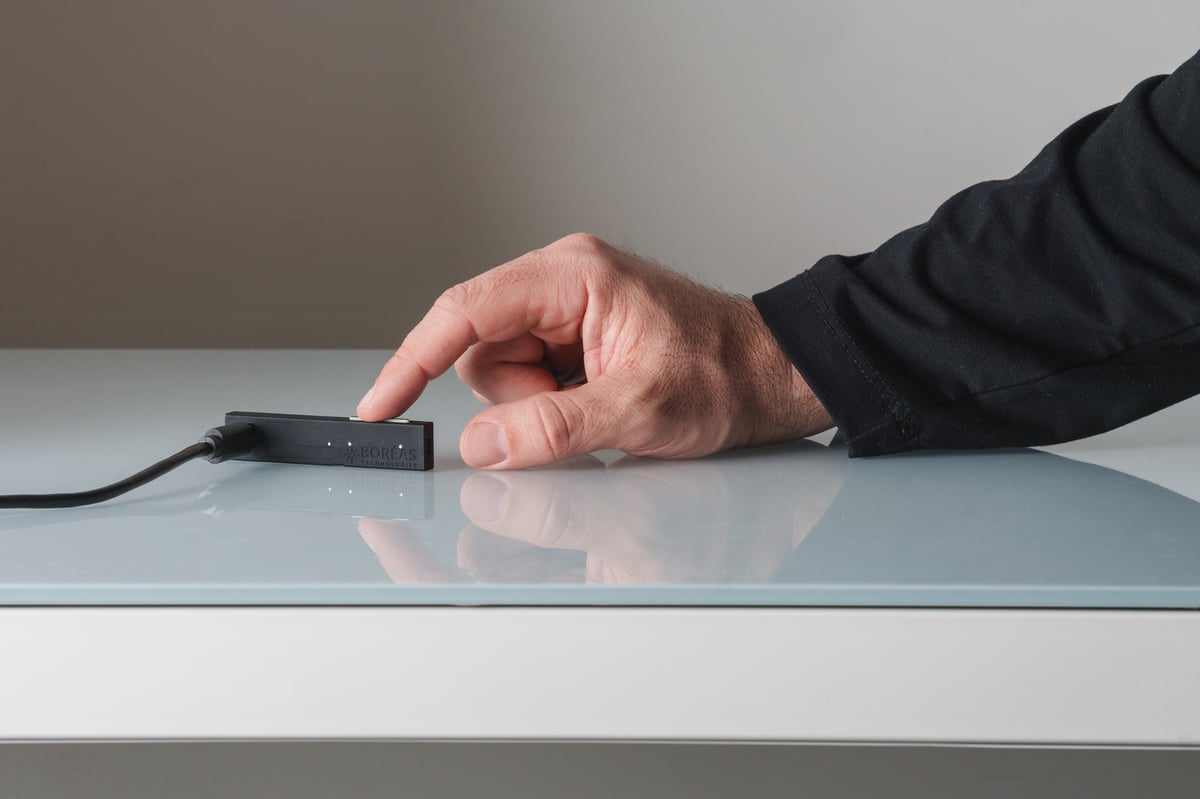
The Boréas Solid-State Button DevKit with CapTouch is built for UX, hardware, and product teams at the evaluation stage. It lets you:
- Feel localized HD haptic effects directly before committing to a mechanical design
- Tune haptic waveforms in real time and develop your own interaction signature
- Test force-sensing thresholds for press/slide differentiation
- Prototype interaction concepts before they become tooling decisions

For OEMs past the evaluation stage and ready for design-in conversations, contact the team directly at mamorin@boreas.ca.
5. Frequently asked questions
Does a solid-state piezo button replace the capacitive touchpad on smart glasses?
No — solid-state piezo buttons and capacitive touchpads are complementary input surfaces. A capacitive surface handles swipe gestures and position-based input; a piezo button adds force sensing and haptic confirmation to the same interaction zone, enabling a richer interaction vocabulary that neither technology provides on its own.
How does force sensing prevent accidental inputs on a wearable?
Force sensing distinguishes between a finger resting on the surface and an intentional press by measuring applied pressure, not just contact. On a face-worn device where incidental contact — hair, adjustment gestures, moisture — is constant, a force threshold is what separates a control surface that responds to the user from one that fires on every accidental graze.
What haptic effects can a piezo button produce beyond a basic click?
With a programmable driver like the CapDrive® BOS1921, a single surface can produce a soft click for a tap, a firmer click for a confirmed selection, a slide tick that mimics scroll wheel detents as the finger moves along the temple, a double pulse for long-press confirmation, and a terminal bump when the user reaches the end of a menu. Each effect is a distinct waveform, not a variation of the same buzz.
Does adding piezo haptic feedback drain the smart glasses battery?
Not meaningfully. CapDrive® recovers energy from the actuator's capacitance with every click, reducing power consumption by 90% vs legacy piezo drivers. The actuator only consumes energy when actively producing a haptic effect — between interactions, current draw is negligible.
Why not use an LRA vibration motor instead?
An LRA vibrates the entire device at its resonant frequency — acceptable on the wrist, not viable on the face. A device vibrating against the temple and lens frame at every interaction would be intolerable in daily wear. LRAs in smart glasses are not a realistic design option, which is why the comparison does not apply in this context.
How do I evaluate solid-state piezo input before committing to a hardware design?
The Boréas Solid-State Button DevKit with CapTouch is the fastest path to a hands-on answer. It lets UX, hardware, and product teams feel localized HD haptic effects, tune waveforms in real time, test force-sensing thresholds for tap/press/slide differentiation, and prototype interaction concepts before any tooling decisions are made.
Are solid-state piezo buttons only relevant for smart glasses?
No — the same properties apply anywhere compact, reliable, multi-mode input is needed: smartphones (side buttons, in-display pressure zones), automotive HMI (center console controls), industrial wearables, earbuds with stem controls, and smart home devices where silent tactile input is preferable to mechanical switches. Smart glasses are one of the most demanding form factors; a design that works there transfers readily to less constrained applications.
6. Related reading
- CapDrive® BOS1921 driver IC — product page
- Piezo Solid-State Button DevKit with CapTouch
- Solid-state button for smart glasses — application page
- Haptic Studio
About the author
Marc-André Morin is a marketing specialist at Boréas Technologies, where he leads go-to-market for CapDrive® haptic solutions across wearables and consumer electronics. LinkedIn
Leave a comment